
To format JSON, paste it into a formatter that parses it and re-prints it with consistent indentation; to validate it, run it through a strict parser that tells you the exact position of the first error. Almost every "invalid JSON" message comes from one of seven mistakes, and once you can recognise them you can fix most broken files in under a minute.
What valid JSON actually requires
JSON (JavaScript Object Notation) looks like JavaScript, but it is much stricter. The specification allows only six kinds of value: objects in curly braces, arrays in square brackets, strings in double quotes, numbers, true/false, and null. Object keys must be strings in double quotes. That is all. Anything a JavaScript engine would forgive, such as a trailing comma or a comment, is a syntax error in JSON.
Here is a small, valid document you can use as a reference:
{
    "orderId": 10452,
    "customer": "Ayesha Khan",
    "paid": true,
    "discount": null,
    "items": [
        { "sku": "TEA-250", "qty": 2, "price": 450.0 },
        { "sku": "MUG-01", "qty": 1, "price": 900 }
    ]
}
Notice the details: every key is quoted, strings use double quotes, there is no comma after the last item in each list, and numbers have no currency symbols or thousands separators.
Formatting versus validating
Formatting (also called pretty-printing or beautifying) changes only whitespace. It turns a single long line such as {"a":1,"b":[1,2,3]} into an indented block that a person can read. Validating answers a yes-or-no question: does this text follow the JSON grammar? A good formatter has to validate first, because it can only re-print what it was able to parse. That is why a formatter that refuses your input is giving you useful information.
Minifying is the reverse of formatting: it strips all unnecessary whitespace to make the payload smaller for transfer. The data is identical either way.
The 7 most common JSON errors and how to fix them
1. Trailing commas
The single most common error, especially in hand-edited config files.
{ "name": "Bilal", "age": 31, }Remove the comma after the last property or array element: { "name": "Bilal", "age": 31 }. In Chrome the error reads something like "Expected double-quoted property name", because after a comma the parser expects another key.
2. Single quotes instead of double quotes
{ 'name': 'Hina' }JSON strings and keys must use straight double quotes: { "name": "Hina" }. This often happens when someone copies a Python dictionary printed with print(), which uses single quotes. In Python, use json.dumps(data) instead of str(data) to produce real JSON.
3. Unquoted keys
{ status: "active" }Valid in a JavaScript object literal, invalid in JSON. Quote every key: { "status": "active" }.
4. Comments
{
    "timeout": 30  // seconds
}
JSON has no comment syntax at all, neither // nor /* */. If you need to document a value, either move the note into a key ("timeoutSeconds": 30) or keep documentation in a separate file. Some tools accept "JSON with comments" variants, but a strict parser will reject them.
5. Missing commas between items
[
    { "id": 1 }
    { "id": 2 }
]
When you paste records together, it is easy to forget the separator. Add a comma after every element except the last: { "id": 1 },. Error messages here usually point at the start of the second item, not the end of the first, so look one line above the reported position.
6. Unescaped characters inside strings
Three characters cause most of the trouble: double quotes, backslashes and real line breaks.
{ "note": "He said "ok"", "path": "C:\new\data" }Inside a JSON string, a double quote must be written \", a backslash must be written \\, and a line break must be written \n. The corrected version is:
{ "note": "He said \"ok\"", "path": "C:\\new\\data" }Windows file paths are a classic trap: "C:\new" may parse, but \n silently becomes a newline, so the value is wrong even though the file is "valid".
7. Values JSON does not support
{ "total": NaN, "ref": undefined, "code": 007, "price": "Rs 1,200" }NaN, Infinity and undefined do not exist in JSON. Numbers may not have leading zeros (007), a leading plus sign, or hexadecimal notation. Replace missing values with null, write codes that need leading zeros as strings ("007"), and store amounts as plain numbers (1200) with the currency in a separate field.
Step by step: format and validate JSON with our tools
- Open the JSON Formatter and paste your text into the left-hand "Unformatted JSON" box.
- Click Format JSON. If the input is valid, the right-hand box shows it re-printed with four-space indentation. Click Copy to put the result on your clipboard.
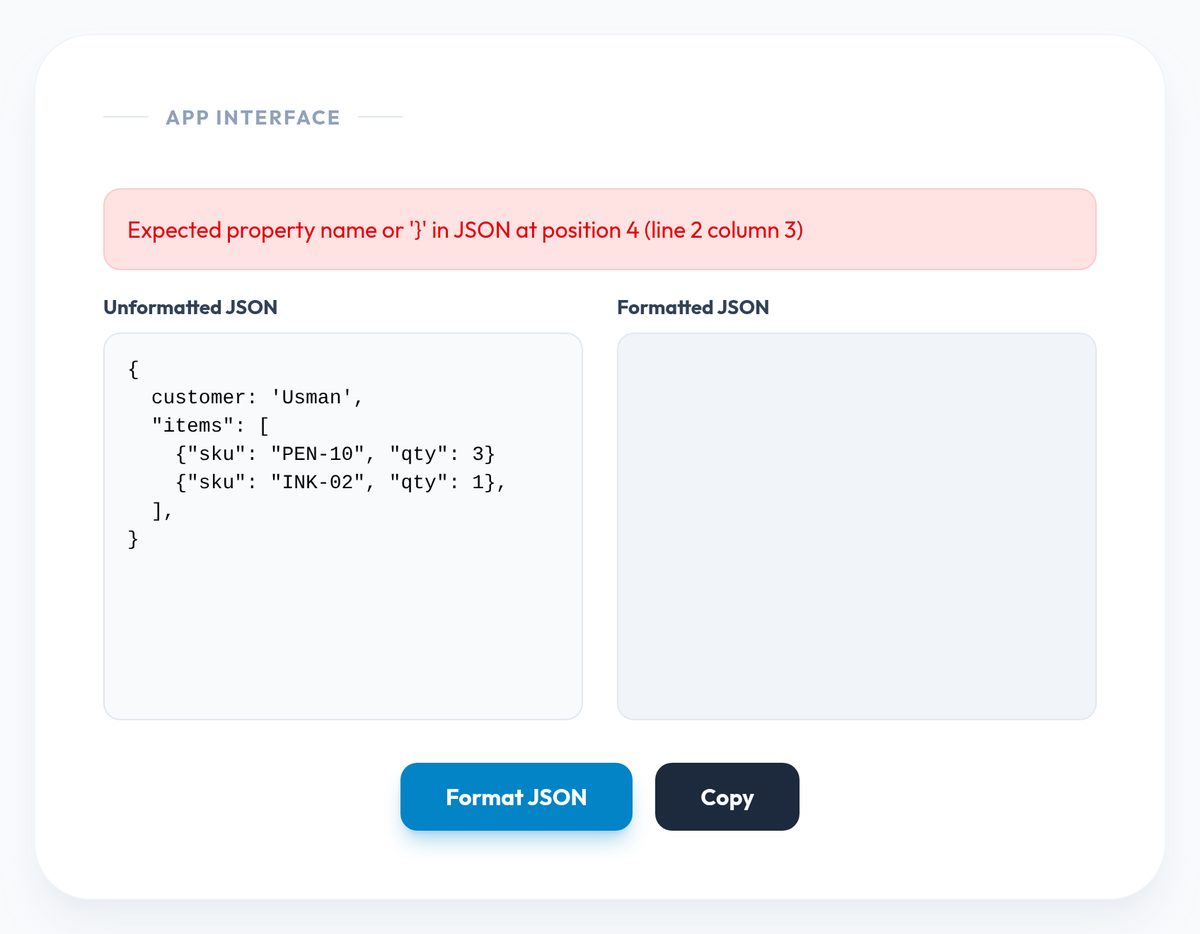
- If the input is invalid, a red message appears instead. It comes straight from your browser's JSON parser and usually includes a character position, for example "at position 42". Count to that position (or paste into an editor that shows the cursor offset) and check the character just before it against the seven errors above.
- For a clear valid/invalid verdict on its own, paste the same text into the JSON Validator and click Run Deep Syntax Analysis. It reports "JSON is Valid" or shows the parser's error message.
- Fix one error at a time and re-run. Parsers stop at the first problem, so a file with three mistakes will report them one by one.
- If you need the data in a spreadsheet afterwards, the JSON to CSV Converter turns an array of flat objects into rows and columns.
Both the formatter and the validator parse your JSON with JavaScript running in your own browser, so the text you paste is not sent to our server. That still does not make it a good idea to paste live API keys or customer records into any website; replace secrets with placeholders before you debug.
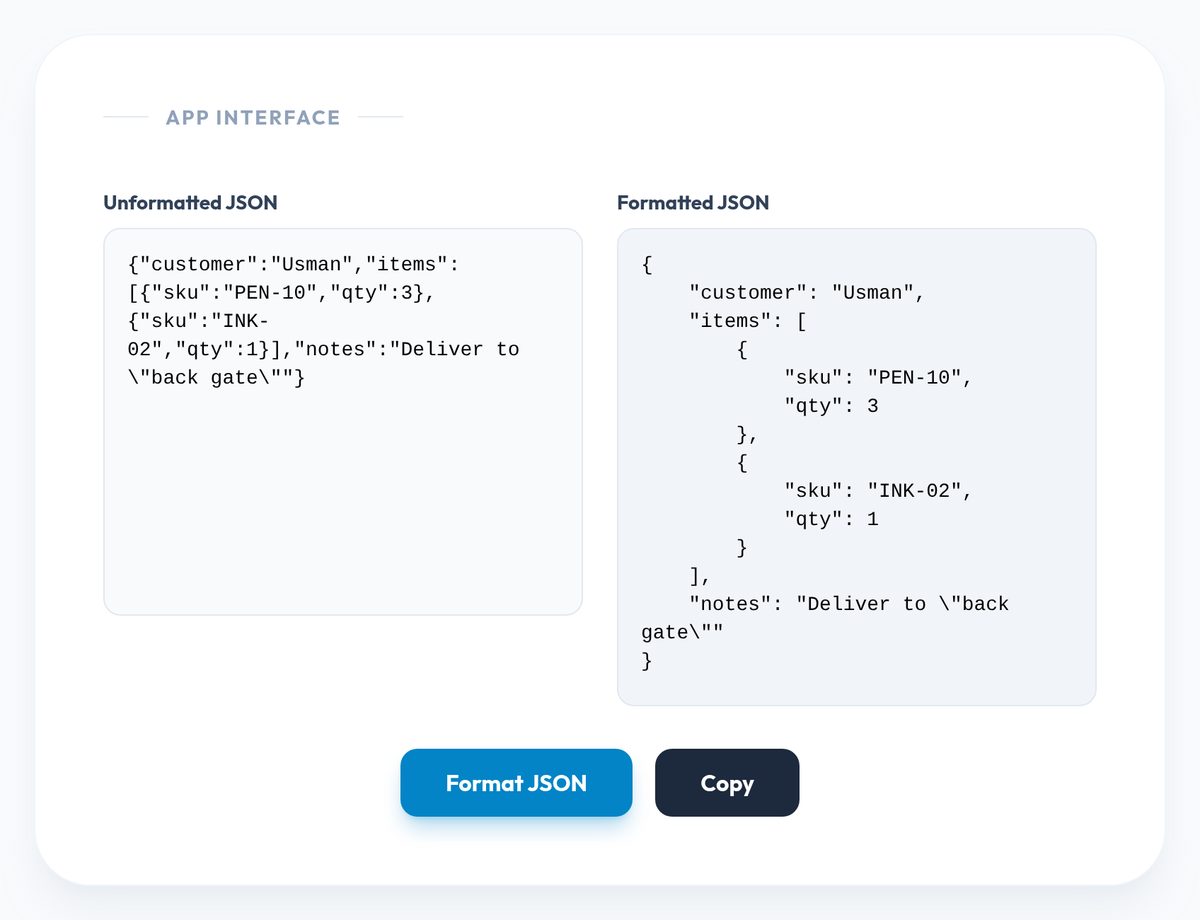
A worked repair
Suppose an API test fails with this request body:
{
    customer: 'Usman',
    "items": [ {"sku": "PEN-10", "qty": 3} {"sku": "INK-02", "qty": 1}, ],
    "notes": "Deliver to "back gate"",
}
Working through it with the list above: quote the key customer (error 3); switch 'Usman' to double quotes (error 2); add the missing comma between the two item objects (error 5); remove the trailing comma inside the array and after the last property (error 1); and escape the inner quotes in the note (error 6). The result:
{
    "customer": "Usman",
    "items": [ {"sku": "PEN-10", "qty": 3}, {"sku": "INK-02", "qty": 1} ],
    "notes": "Deliver to \"back gate\""
}
Tips to avoid JSON errors in the first place
- Generate JSON, do not type it. Use
JSON.stringify()in JavaScript,json.dumps()in Python orjson_encode()in PHP. Serialisers never produce trailing commas or bad escapes. - Watch out for word processors and chat apps. Pasting JSON through a document editor or messaging app can turn straight quotes into curly "smart" quotes, which no parser accepts. Share JSON as a file or inside a code block.
- Check the encoding. JSON should be UTF-8. A file saved with a byte order mark (BOM) can make some parsers fail on the very first character even though the file looks fine.
- Keep large numbers as strings when precision matters. JavaScript stores numbers as 64-bit floating point, so integers above 9,007,199,254,740,991 lose precision when parsed. IDs from some databases exceed that.
- Validate before you commit. Adding a JSON lint step to your editor or build catches mistakes before they break a deployment.
Frequently asked questions
Why does my JSON work in JavaScript code but fail in the validator?
Because a JavaScript object literal is more permissive than JSON. Unquoted keys, single quotes, trailing commas and comments are all legal in JavaScript source but illegal in JSON. If you need actual JSON, pass the object through JSON.stringify().
Does formatting change my data?
No. Formatting only adds or removes whitespace between tokens. Keys, values and order stay the same. One subtle exception: if your input has duplicate keys in the same object, a parser keeps only the last one, so the formatted output will have one fewer key.
What does "Unexpected end of JSON input" mean?
The parser reached the end of the text while still expecting more, usually because a closing } or ] is missing, or the text was cut off when copying. Count your opening and closing brackets, or format the part that does parse to see where the structure stops.
Can JSON contain Urdu or other non-English text?
Yes. JSON strings can hold any Unicode text, either directly (as long as the file is UTF-8) or as escape sequences such as \u0627. Both forms are valid and parse to the same characters.
Reader Thoughts
No Thoughts Yet
Be the first to share your perspective on this topic.
